
You open a client’s engagement letter and find a renewal clause nobody flagged. The fee escalator expired four months ago. Nobody noticed, and nobody billed the increase. That gap is exactly what CLM contract lifecycle management is meant to close.
That is the daily problem behind most CLM contract lifecycle management purchases at small firms. The software tracks agreements from request to renewal, but the value sits in a few specific habits and settings. This guide covers those habits. For the general definition, see what contract lifecycle management means.
What You Actually Pay For With CLM Contract Lifecycle Management
Vendors quote per-user pricing, but your bill depends on more than headcount. Most platforms charge by seat, by contract volume, or by module. In addition, add-ons like e-signature, AI clause extraction and integrations often cost extra.
Picture a 12-lawyer firm with 6 staff. If the quote covers 18 seats but only four people draft and negotiate contracts, you are overbuying. Therefore, ask whether read-only or approver seats are free or discounted.
Watch for three costs that rarely appear on the first quote:
- Implementation fees, often a one-time charge for setup and training
- Data migration, priced per document or per hour
- Annual uplifts written into multi-year terms
Ask for all three in writing before you compare vendors. A cheap licence with a heavy onboarding bill can cost more over three years than a pricier all-in plan.
Mapping Your Own Contract Types Before You Demo
Skip the demos until you have a list. Write down every contract type your firm touches and how many of each you handle a year.
Take a 20-lawyer litigation boutique. Its list might read: client engagement letters, expert retainers, vendor leases, e-discovery vendor agreements, and referral arrangements. Each type needs different fields. An engagement letter needs a rate table and an escalator date. An expert retainer needs a cap and a conflicts note.
Count the volume too. A firm that handles 40 contracts a year does not need what a firm handling 400 needs. For that reason, bring this list to every demo and ask the vendor to show your three highest-volume types, not their polished sample.
The Pilot That Proves It Works
Never buy on a demo alone. Run a 30 to 60 day pilot on one practice group and one contract type.
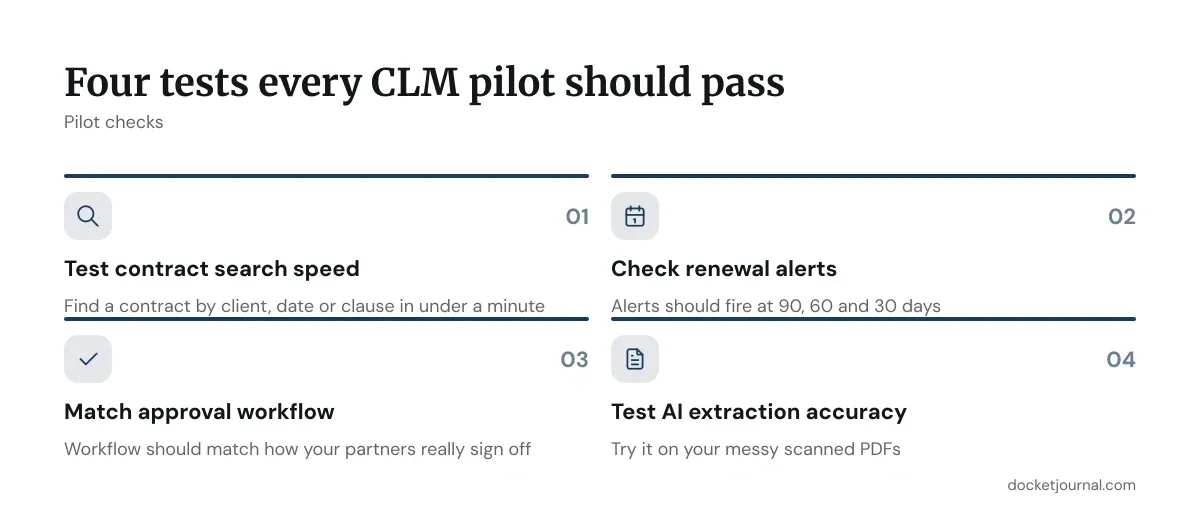
Pick the group with the most renewals and the most pain. Load 30 to 50 live contracts. Then test the things that matter:
- Can staff find a contract by client, date or clause in under a minute?
- Do renewal alerts fire at 90, 60 and 30 days?
- Does the approval workflow match how your partners really sign off?
- How accurate is the AI extraction on your messy scanned PDFs?
A scanned engagement letter from 2019 is a harder test than any clean template. If the tool misreads half your fields, you will spend the saved time on manual correction. Record the error rate during the pilot, and keep the number. It is your strongest negotiating lever.
Common CLM Contract Lifecycle Management Mistakes at Small Firms
Most failures are not software failures. They are setup failures.
The first is migrating everything at once. Firms dump ten years of files into the system, including expired and duplicate agreements, then wonder why search returns noise. Instead, load active contracts first. Archive the rest.
The second is skipping field discipline. If one partner enters “Renewal Date” and another types “Term End,” your reports break. As a result, agree on a short field list and lock it.
The third is ignoring ownership. Someone must own the system, even for four hours a week. At a 15-lawyer firm, the office manager or a senior paralegal usually fits. When nobody owns it, data goes stale within two quarters and lawyers return to email.
The fourth is buying features you will not use. Advanced analytics sound good in a demo. However, a firm that cannot yet reliably enter an expiry date does not need them.
CLM Options Compared by Firm Profile
Rather than a generic ranking, match the tool type to your situation.
Lightweight and Budget-Led
Tools such as PandaDoc and Ironclad sit at different ends of the market. PandaDoc suits firms that mainly need templates, e-signature and basic tracking. Pricing is published per user on its site, and it works for firms that draft more than they negotiate.
Mid-Market and Workflow-Heavy
Ironclad and ContractWorks lean toward structured workflows and repository search. Ironclad prices by quote, so expect a sales call. ContractWorks publishes tiered plans, which makes early budgeting easier.
Practice-Management Add-Ons
If your firm already runs Clio, check its document automation and integrations before buying a separate platform. A lighter option inside your existing system can beat a standalone tool you must keep in sync.
| Firm profile | Best-fit tool type | Main trade-off |
|---|---|---|
| Under 10 lawyers, mostly drafting | Template and e-signature tool | Limited renewal analytics |
| 10 to 40 lawyers, mixed volume | Mid-market CLM with workflows | Quote-based pricing |
| Already on a practice platform | Built-in or integrated add-on | Fewer advanced features |
Tracking Whether CLM Contract Lifecycle Management Pays Off
Pick three numbers before launch and measure them at 90 days.
Start with time to find a contract. If staff took ten minutes before and take one now, that is nine minutes saved on every search. Multiply by weekly searches.
Next, track missed renewals and escalators. Pull last year’s count of contracts that lapsed or went unbilled. A single missed escalator on a retainer billed at $4,000 a month can mean thousands lost in a year. Fewer misses is the clearest return.
Finally, track turnaround on approvals. Measure days from request to signature. A workflow that cuts a six-day cycle to three frees partner time.
Write the baseline down now. Without it, you will argue about value from memory.
Where CLM Fits in Your Firm Going Forward
Treat the first year as a trial of habits, not just software. The firms that get lasting value pick one practice group, fix the field list, name an owner, and expand slowly. For a broader view of the process, see the practical guide to contract lifecycle management for law firms.
CLM contract lifecycle management rewards restraint. A smaller tool used consistently beats a large platform used by two people. If your pilot shows clean search, working alerts and a falling miss rate, expand. If not, change the setup before you change the vendor.
Revisit your numbers each quarter. Prices, features and your own contract mix will shift, so confirm current terms directly with vendors before you sign.
Frequently asked questions
Does CLM contract lifecycle management replace the contract templates we already use?
No. CLM stores and governs your templates, but it does not write them. You still need clean, approved language. The software adds version control, approval routing and clause libraries on top of what you already have.
How many contracts do we need before CLM makes sense?
There is no fixed threshold. A firm with 30 active agreements and a missed-renewal problem may benefit sooner than a larger firm with tidy records. If tracking dates in a spreadsheet already costs you money or time, start a pilot.
Can a small firm run CLM contract lifecycle management without an IT person?
Usually yes. Most cloud tools need no server work. You do need someone to own configuration, user access and field rules, even part-time. An office manager or senior paralegal often handles this well.
Should we migrate old contracts into a new CLM?
Load active contracts first and archive the rest. Migrating expired agreements clutters search and raises migration fees. You can add older files later if a real need appears.
How is CLM different from our document management system?
A document management system stores files and tracks versions. CLM adds contract-specific tracking: key dates, obligations, renewal alerts and approval workflows. Many firms keep both and connect them.